

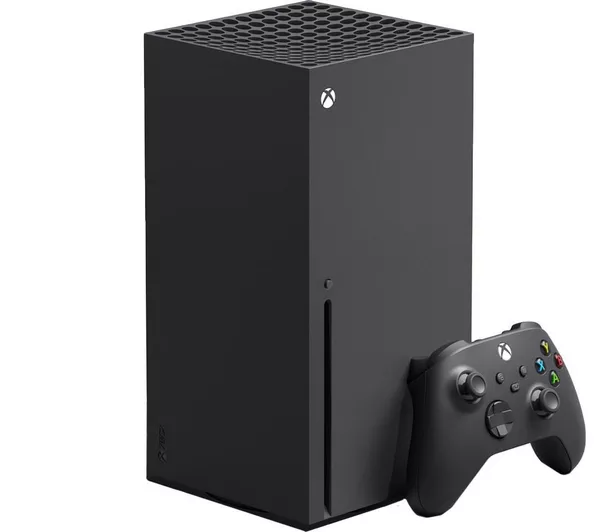
Why Your Xbox Series X Keeps Shutting Down | SavedGame
Direct Answer: An Xbox Series X that keeps shutting down mid-game is almost always experiencing thermal shutdown — the console’s safety system cutting power to prevent damage from overheating. On consoles 2–3 years old or more, the most likely cause is degraded thermal paste on the APU. SavedGame provides thermal services and full shutdown diagnostics across Hull and East Yorkshire.
Key Takeaways
- Thermal shutdown (overheating protection) accounts for the majority of mid-game shutdown faults on the Xbox Series X.
- Thermal paste degrades significantly after 2–3 years — temperatures can drop 15–20°C after a professional thermal service.
- A failing power supply or storage fault can produce identical symptoms and must be ruled out during diagnosis.

Your Xbox Series X was working fine an hour ago. You’re mid-game, loading screen done, everything good — then the screen goes black and the console shuts itself off. No warning, no error message. After a few minutes it turns back on and everything seems fine, until it happens again. This pattern is frustrating and concerning, but it is one of the most commonly repaired Xbox faults, and the cause is almost always identifiable.
SavedGame provides Xbox Series X thermal and shutdown repair for customers in Hull, Beverley, Brough, Goole, Driffield and across East Yorkshire, we are currently working at Mend My iPhone, 9 Southgate, Market Weighton, YO43 3AF amd do your repairs on-site there.
The Most Common Cause: Thermal Shutdown
The Xbox Series X contains a custom AMD APU (the combined CPU and GPU chip) that generates significant heat under gaming loads. Microsoft built in thermal protection that shuts the console off automatically when internal temperatures exceed safe operating limits — typically around 80°C on the APU die.
When the console is new, the thermal paste between the APU and the heatsink conducts heat efficiently. Over time — usually 2–4 years of regular use — that paste dries out, cracks, and loses conductivity. Heat that was previously transferred away from the chip now builds up faster, triggering thermal shutdown sooner into each gaming session. The pattern of increasingly short gaming sessions before shutdown is a textbook sign of thermal paste degradation.
There is also a secondary thermal issue: the heatsink fins accumulate dust over time, reducing airflow through the heatsink. Even good thermal paste cannot compensate for a heatsink that is effectively insulated by a layer of household dust and pet hair. Both problems are addressed in a full thermal service.
By the way if you also have or know someone who is having the same problem with a PS5 the same type of problem affects playstations where they shut down because of liquid metal which they use instead of thermal paste
Other Causes Worth Knowing
Fan bearing failure. The single large fan in the Xbox Series X is responsible for all cooling airflow. As the bearing wears, the fan either slows down or becomes noisy. A fan that sounds different than it did when new — particularly a grinding or rattling noise — is losing efficiency and should be replaced alongside a thermal service.
Power supply fault. Under heavy gaming load, the Xbox Series X draws more power than in standby or light use. A power supply or power management circuit that is beginning to fail may handle everyday use but cut out when power demand spikes. This produces shutdowns that happen very quickly after loading a game rather than after an extended play session, and the console will feel cool to the touch when it shuts off.
Storage errors. A failing SSD or a corrupted system partition can cause the operating system to crash, producing a sudden shutdown that resembles a hardware fault. This is usually accompanied by error codes or game corruption, but not always.
What You Can Check Yourself
- Ventilation check. The Xbox Series X needs at least 15cm of clearance above the top vent. If it is inside a TV cabinet or on a shelf with limited airflow, try it in open air before concluding there is a hardware fault.
- Exterior vent clean. Use a can of compressed air to blow through the exterior vents. This removes surface dust but does not address internal accumulation — it is worth doing as a first step but is not a substitute for a professional internal clean.
- Time the shutdown. Note how long into a session the shutdown occurs. Early shutdowns (under 10 minutes on demanding games) can indicate a power supply issue. Shutdowns after 30–60 minutes typically indicate thermal degradation.
- Check for error codes. After a shutdown, check if an error code appears on restart. E codes (E100–E106) suggest a software or storage fault rather than a thermal one.
- Test a less demanding game. If the console runs for hours playing a simple 2D game but shuts down quickly during a demanding 3D title, thermal throttling is confirmed — the APU is only being pushed hard in the demanding game.
Repair Options and Costs
| Cause | Symptom Pattern | Repair | Typical Cost |
|---|---|---|---|
| Degraded thermal paste | Shuts down after 30–60 min, gets worse over time | Full thermal service | £55 |
| Clogged heatsink + dried paste | Fan loud, hot exhaust, early shutdowns | Deep clean + thermal service | £55 |
| Fan bearing failure | Noisy fan, early thermal shutdowns | Fan replacement + thermal service | £60 |
| PSU failing under load | Shuts down quickly, console cool on shutdown | PSU diagnosis & repair | £65 |
| Storage/software fault | Error codes present, game corruption | Storage repair or replacement | £55 |
The £25 diagnostic always comes first and is applied to the repair cost if you proceed with us.
Full Xbox Series X Prices here
A Note on Xbox Series X Liquid Metal
Some Xbox Series X units — particularly those manufactured in the first 18 months of production — use liquid metal thermal compound on the APU rather than standard paste. Liquid metal is highly effective when applied correctly, but it is also electrically conductive. If it migrates onto the board, it can cause short circuits. During a thermal service on these units, the liquid metal must be carefully removed, contained, and reapplied using the correct technique. This is not a job to attempt without experience — applying standard thermal paste over liquid metal, or allowing it to spread, can destroy the board.
SavedGame Xbox Thermal and Shutdown Repair – Hull and East Yorkshire
SavedGame provides Xbox Series X thermal repair and overheating service across Hull, Beverley, Brough, Goole, Driffield and East Yorkshire. Every job starts with a proper diagnosis — we do not just clean and hope. We confirm the cause of shutdown before carrying out any repair work.
Also relevant: Xbox no-power repair | Full Xbox repair service
Frequently Asked Questions
Why does my Xbox Series X keep shutting off by itself?
The most common cause is thermal shutdown – the console’s built-in protection cuts power when internal temperatures exceed safe limits, usually around 80°C on the APU. This is triggered by degraded thermal paste, a failing fan, or a dust-clogged heatsink. Less commonly, a failing power supply cutting out under load, or a storage fault causing system crashes, can produce the same symptom.
Is there Xbox Series X repair near Hull?
Yes — SavedGame repairs Xbox Series X shutdown and thermal faults for customers in Hull and across East Yorkshire, with drop-off, callout and postal options. We operate out of Mend My iPhone at 9 Southgate, Market Weighton, YO43 3AF.
Is it normal for an Xbox Series X to shut down when it gets hot?
The Xbox Series X has thermal protection that will shut it down to prevent damage if it overheats. This is not normal operation – it means something is causing the console to run hotter than it should. On consoles that are 2–3 years old or more, dried thermal paste is the most common culprit. A thermal paste service typically resolves the issue.
How do I stop my Xbox Series X from shutting down mid-game?
First, ensure the console has adequate ventilation – at least 15cm clearance on all sides, especially the top exhaust vent. Check it is not in an enclosed cabinet. Clean the exterior vents with a can of compressed air. If shutdowns persist, the console likely needs a professional thermal service: disassembly, heatsink cleaning, and fresh thermal paste. This is not a job for beginners due to the risk of liquid metal compound on some Xbox Series X units.
Can a failing power supply cause an Xbox to shut down?
Yes. When the Xbox Series X loads a demanding game, power consumption spikes significantly. A failing power supply that cannot sustain this load will cut out, causing the console to shut off suddenly. This is distinguishable from thermal shutdown because it happens quickly after launch rather than after a period of play, and the console often feels cool when it shuts off. A diagnostic will confirm whether the PSU or thermal system is at fault.
How much does Xbox Series X thermal repair cost?
A full thermal service at SavedGame – disassembly, heatsink clean, new thermal compound, and reassembly – costs £55 plus a £25 diagnostic fee (diagnostic applied to the repair). If the fan also needs replacing, this is typically £60 including the thermal service. Most shutdowns caused by heat are resolved by this service.
Why does my Xbox Series X keep turning off?
Almost always the same cause as an Xbox that “shuts off by itself” — thermal shutdown from degraded thermal paste, a dust-clogged heatsink, or a tired fan. If it’s happening quickly after boot with the console still cool, that points to the power supply instead. See the self-diagnostic timing check above to tell the two apart before booking a repair.
Why is my Xbox Series X turning off by itself?
This is the same fault as thermal shutdown, described above — Microsoft’s protection circuitry cutting power when the APU gets too hot. It’s not a random fault; it’s the console protecting itself, and it will keep happening until the underlying heat problem (old thermal paste, blocked airflow, failing fan) is actually fixed rather than worked around.
My Xbox keeps shutting down — does this apply to Series S and Xbox One too?
The overheating mechanism is the same across Xbox Series X, Series S, and Xbox One consoles, though the specific cause and repair can differ by model — Series X and S use different cooling designs, and older Xbox One / One S units have their own common failure points, including HDMI and power issues alongside thermal ones. If you’re troubleshooting a Series S or One rather than a Series X specifically, see our other console pages for the closer match.
Ready to get it fixed? See full Xbox Series X repair pricing and options, or if your console won’t power on at all rather than shutting off mid-session, that’s a different fault — check Xbox Series X won’t turn on: causes and fixes instead.
- PS5 Fan Connector Repair | Ripped Off by USer
- Is Your Console Actually Dead? The 10-Minute Check Before You Bin It
- N64 No Signal: Nintendo Repairs in East Yorkshire } Saved game
- PS4 Slim Disc Drive Not Reading Discs: A Full Service Case Study
- Silent Hill 2: Why This PS2 Classic Still Commands Serious Money

Leave a Reply