

Direct Answer: A console disc drive that won’t load, read, or eject discs properly is usually a fixable fault — a worn laser lens, a mechanical issue, or dust interference — rather than a reason to write off the drive or the console.Key Takeaways
- If every disc has the same problem, it’s the drive; if only one disc is affected, check the disc itself first.
- A noisy or stiff-to-eject drive is often a cleaning and mechanism issue, not necessarily a dead laser.
- Disc drives can frequently be repaired rather than fully replaced, once the actual cause is confirmed.
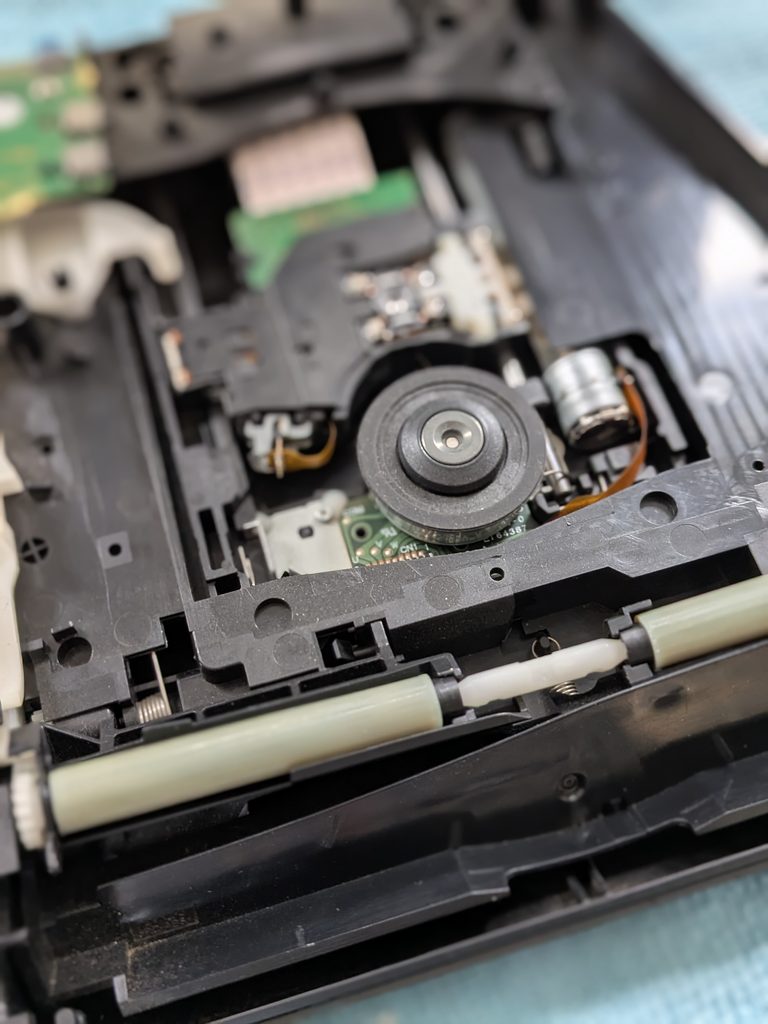
Console Discs Not Loading
A disc drive that’s stopped cooperating — refusing to read a disc, spinning without loading anything, or fighting you on ejecting — is a fault we see across every disc-based console, from current-generation PS5 and Xbox down to older PS2 and retro hardware. The good news is it’s rarely a dead end.
Common Symptoms and Causes
| Symptom | Likely Cause |
|---|---|
| No discs read at all | Worn laser lens or drive fault |
| Only one specific disc won’t read | The disc itself — scratched or damaged |
| Disc spins but never loads | Weakening laser unable to read the surface |
| Grinding noise or difficult eject | Dust, debris, or a mechanical fault in the loading mechanism |
Why This Usually Isn’t a DIY Fix
Disc drives are sealed mechanisms connected to the motherboard, and getting to them properly means a full teardown. A worn laser can’t be restored by cleaning alone the way some older drives could, and attempting a repair without the right tools risks damaging the ribbon connector or motherboard header — turning a straightforward drive issue into a more expensive board-level repair.
Model-Specific Guides
See our detailed PS5 disc drive guide for symptoms and fixes specific to that console.
Frequently Asked Questions
Why won’t my console read discs?
Common causes include a worn or dirty laser lens, a mechanical fault in the disc loading mechanism, dust or debris inside the drive, or in some cases damage to the disc itself rather than the console.
Is it the disc or the drive that’s faulty?
If the problem happens with every disc you try, it’s almost certainly the drive. If only one specific disc is affected, especially if it’s visibly scratched, the disc itself is the more likely cause.
Can a console disc drive be repaired rather than replaced?
Often yes — a dirty lens or a mechanical fault can frequently be cleaned or repaired without replacing the whole drive. A full replacement is generally only needed once the laser itself has genuinely worn out.
Why is my disc drive noisy or struggling to eject?
This is often caused by dust or debris interfering with the loading mechanism, which is a common finding during a full internal service rather than a sign the drive needs full replacement.
Get Your Disc Drive Repaired
Drop off at 9 Southgate, Market Weighton, or use our UK-wide mail-in repair service. Call 07547432754 or see repair prices.
- PS5 Fan Connector Repair | Ripped Off by USer
- Is Your Console Actually Dead? The 10-Minute Check Before You Bin It
- N64 No Signal: Nintendo Repairs in East Yorkshire } Saved game
- PS4 Slim Disc Drive Not Reading Discs: A Full Service Case Study
- Silent Hill 2: Why This PS2 Classic Still Commands Serious Money