

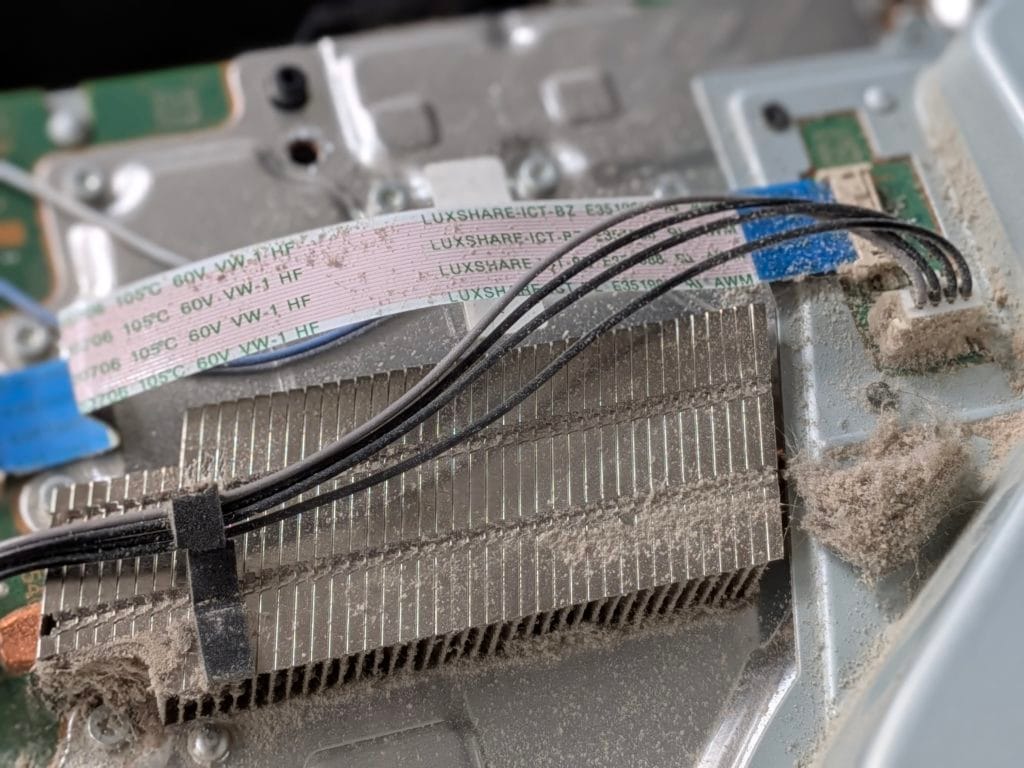
Direct Answer: Console overheating is almost always caused by dust restricting airflow and thermal paste that’s dried out and stopped conducting heat properly. A full internal clean and thermal service resolves the vast majority of overheating cases without needing any new parts.Key Takeaways
- Dust build-up and dried thermal paste are responsible for the large majority of overheating cases, not failing hardware.
- A loud fan, hot casing, or performance dropping during long sessions are all early warning signs worth acting on.
- Left unaddressed, overheating can contribute to other faults developing over time.
Console Overheating Repair
Whether it’s a PS5, Xbox, Switch or older console, overheating shows up in similar ways — the fan working harder than it should, the case getting uncomfortably warm, or the console shutting itself down to protect its components. In the vast majority of cases, this isn’t a sign of a dying console, it’s a maintenance issue that’s built up gradually over time.
What Causes It
| Cause | Why It Happens |
|---|---|
| Dust build-up | Restricts airflow through intake and exhaust vents, and clogs the heatsink fins over months or years |
| Dried thermal paste | The compound between the processor and heatsink loses its heat-transfer properties as it ages |
| Poor placement | A console pushed against a wall or inside an enclosed cabinet has restricted airflow regardless of internal condition |
| Failing fan | Less common, but a fan that’s mechanically struggling won’t move enough air even with everything else clean |
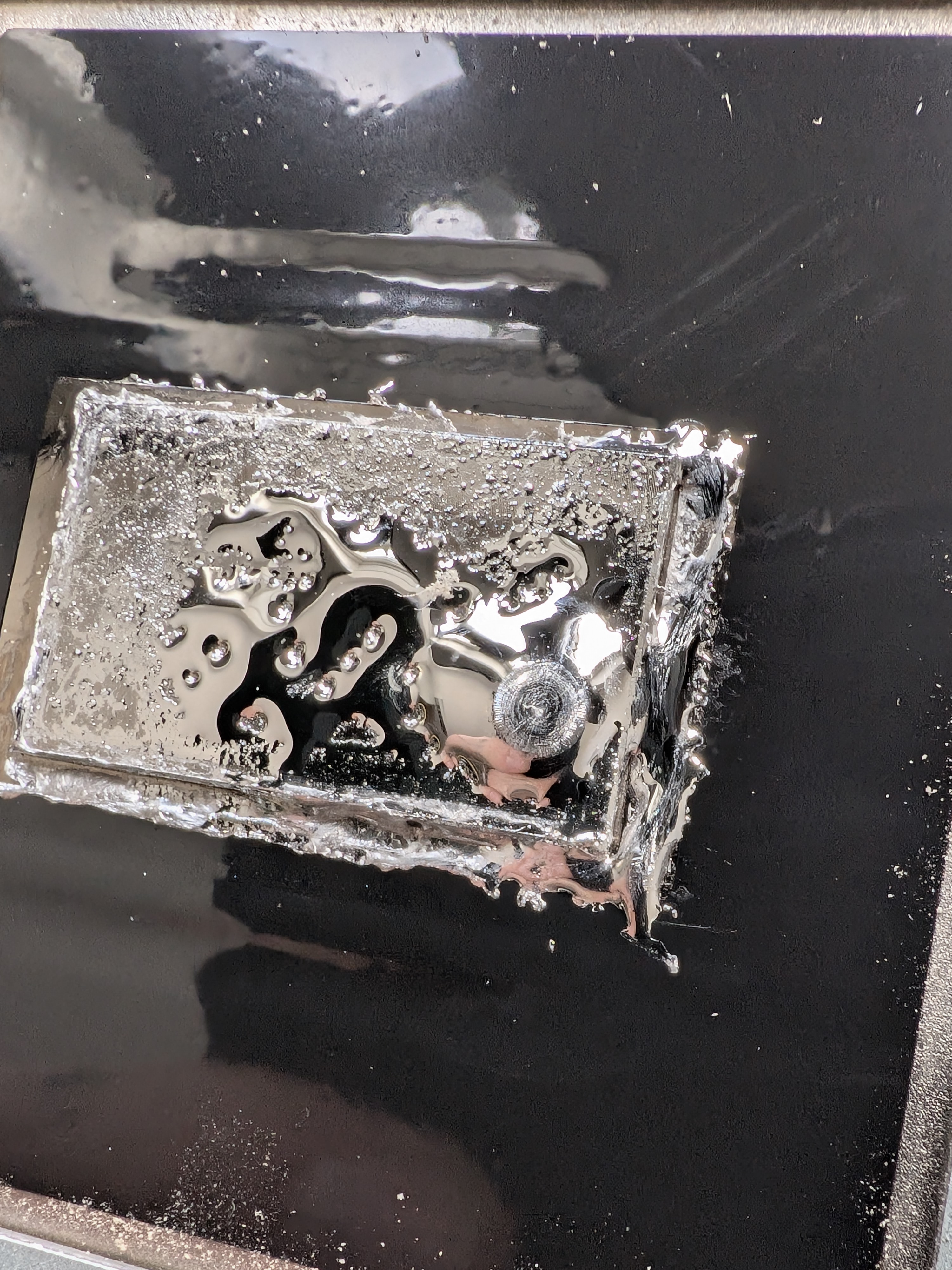
Liquid metal sliding to once side if a PS5 id stored upright as gravity always wins. This leaves bals spots of the APU that causes overheating due to lack of thermal transfer.
What We Do
We fully strip the console down, clean out dust from the fan, heatsink and vents, and replace the thermal paste (or upgrade to liquid metal — see our PS5 liquid metal service for higher-performance cooling). We test properly before reassembly rather than assuming a clean alone has fixed it.
Related
See our annual console service to stay ahead of overheating before it starts, or our random shutdown page if overheating is already causing your console to switch off mid-game.
Frequently Asked Questions
Why is my console overheating?
The most common causes are dust build-up restricting airflow through the vents and heatsink, and thermal paste between the processor and heatsink that has dried out over time and stopped transferring heat effectively.
How do I know if my console is overheating?
Common signs include a fan that’s unusually loud or constantly running at full speed, the case feeling hot to the touch, performance dropping during longer play sessions, or the console shutting down unexpectedly.
Can overheating damage my console permanently?
Sustained overheating puts extra stress on the processor and surrounding components, and over time can contribute to other faults developing. Addressing it early with a proper clean and thermal service reduces this risk.
Is cleaning the vents myself enough to fix overheating?
External dust removal helps but often isn’t enough on its own, since the heaviest build-up and the dried thermal paste are both inside the console. A full internal service addresses the actual cause rather than just the surface symptom.
Get Your Console Serviced
Drop off at 9 Southgate, Market Weighton, or use our UK-wide mail-in repair service. Call 07547432754 or see repair prices.