
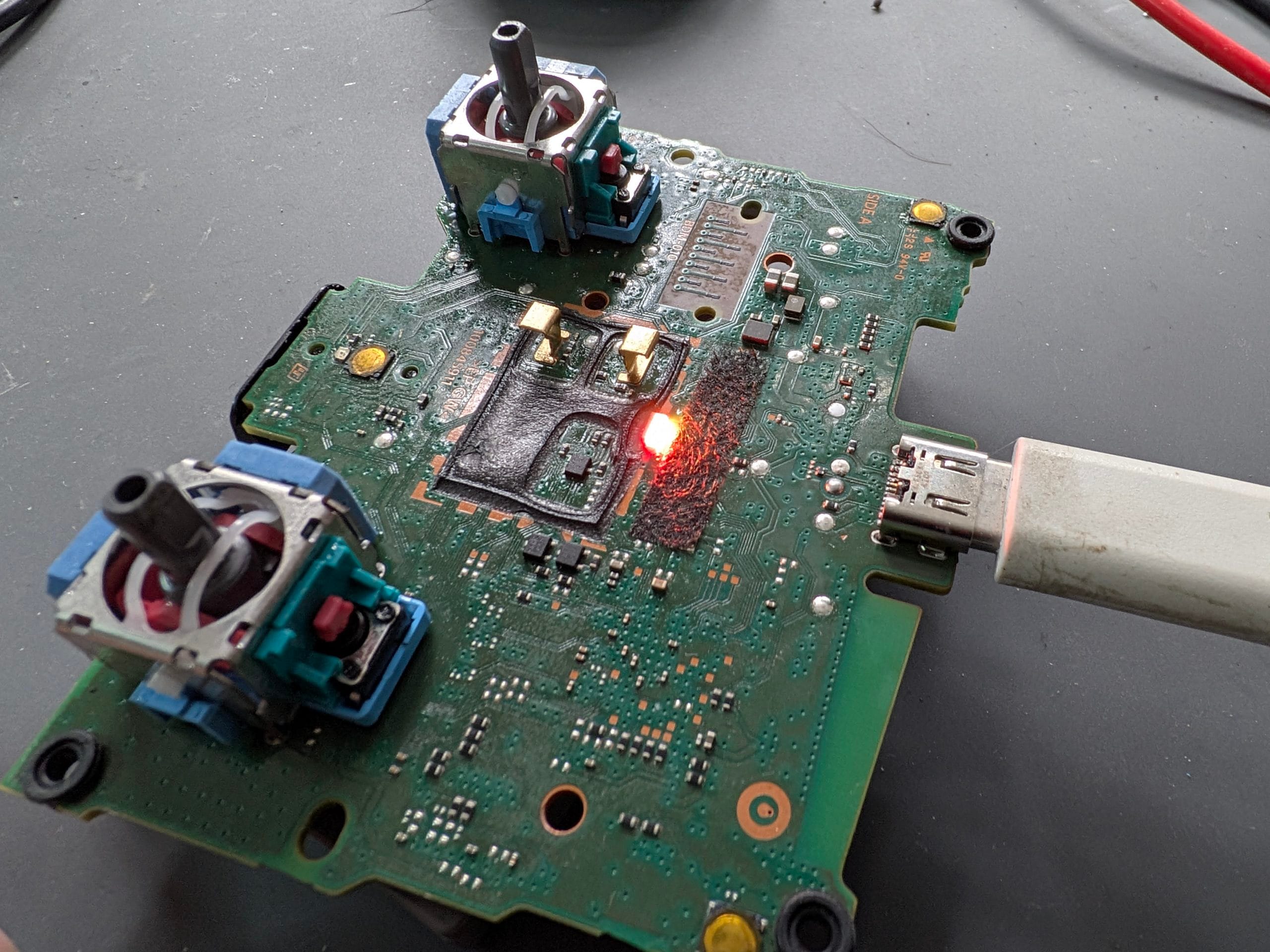
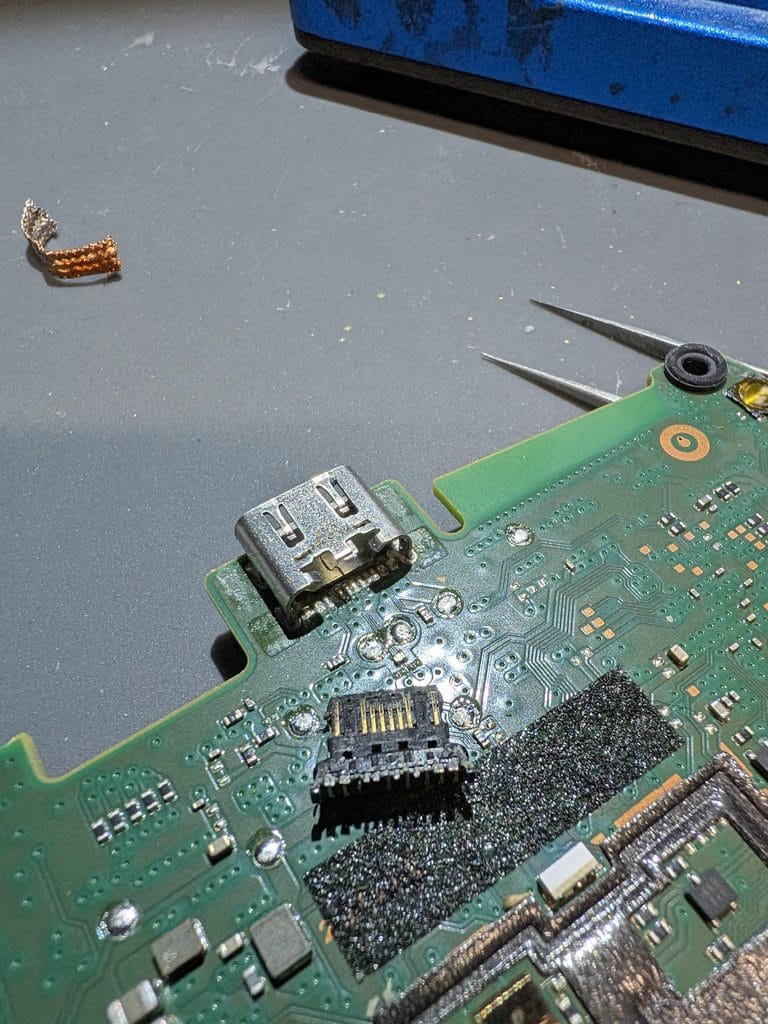
Original Playstation controller charging port had been pushed through it’s housing and was rattiling around inside !
Had a DualSense in yesterday that wouldn’t charge. Customer’s been trying different cables, different power blocks, all that jazz. Classic problem, right? Except here’s the kicker — not all PS5 controllers use the same charging port.
Yeah. Seriously.
Sony changed the charging connector part-way through PS5’s life cycle. Some DualSense controllers use a proprietary barrel connector (looks like a weird USB-C but it’s not). Others use actual USB-C. Same console, different port. Good luck figuring that out from the internet.
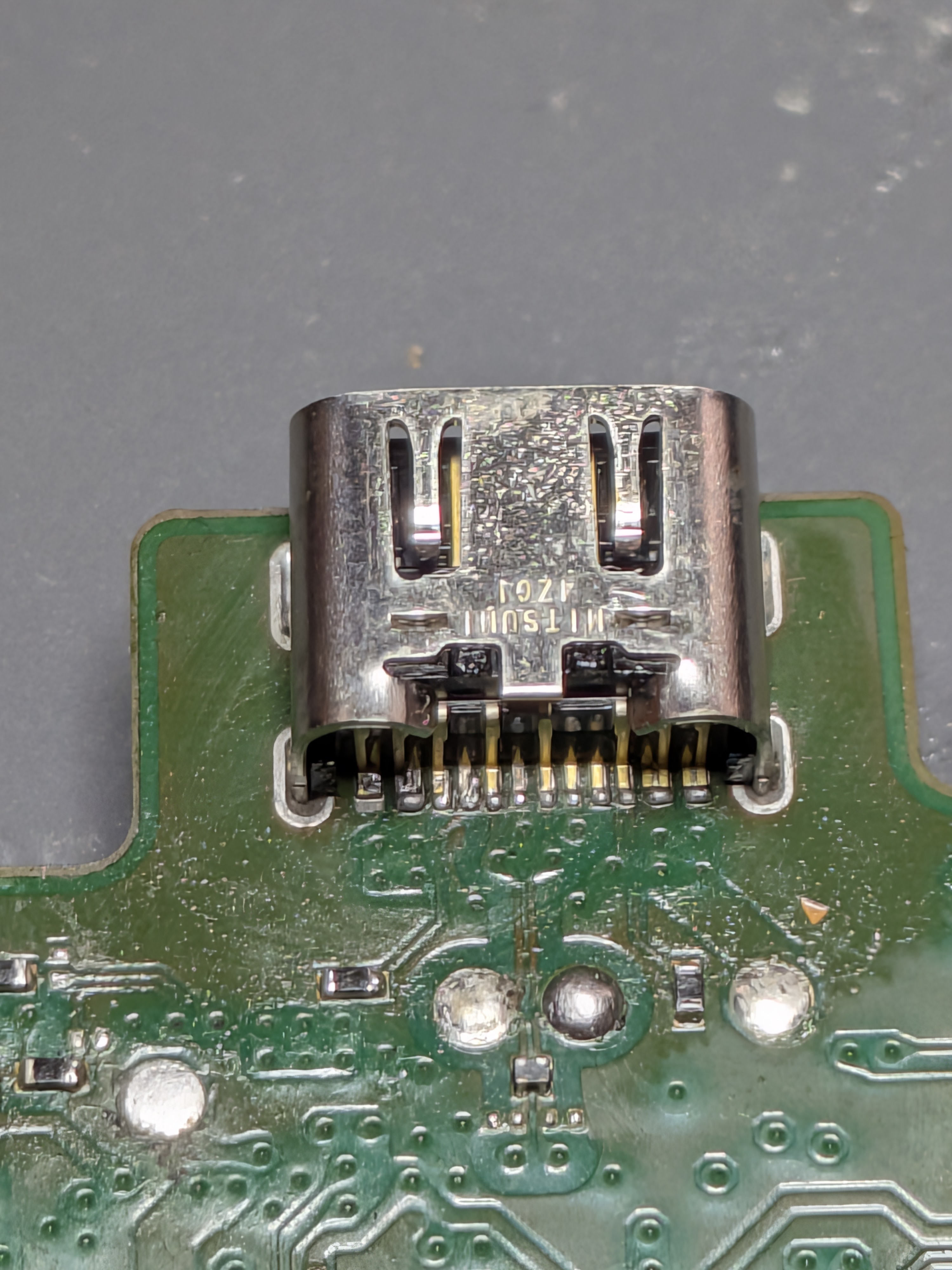
PS5 Controllers have 2 different ports and it’s to get them wrong. At some point in production Sony swapped the + and – pins over.
This one was a barrel connector type. The customer had been jamming USB-C cables at it for months. Port was dead. We desoldered the old one, installed a new barrel connector (that’s a micro-soldering job, not a 5-minute swap), and while we had it open, fixed the stick drift on the left joystick (potentiometer wear — the tiny contact sensors inside degrade with use, make the stick register movement without you touching it. Common failure).
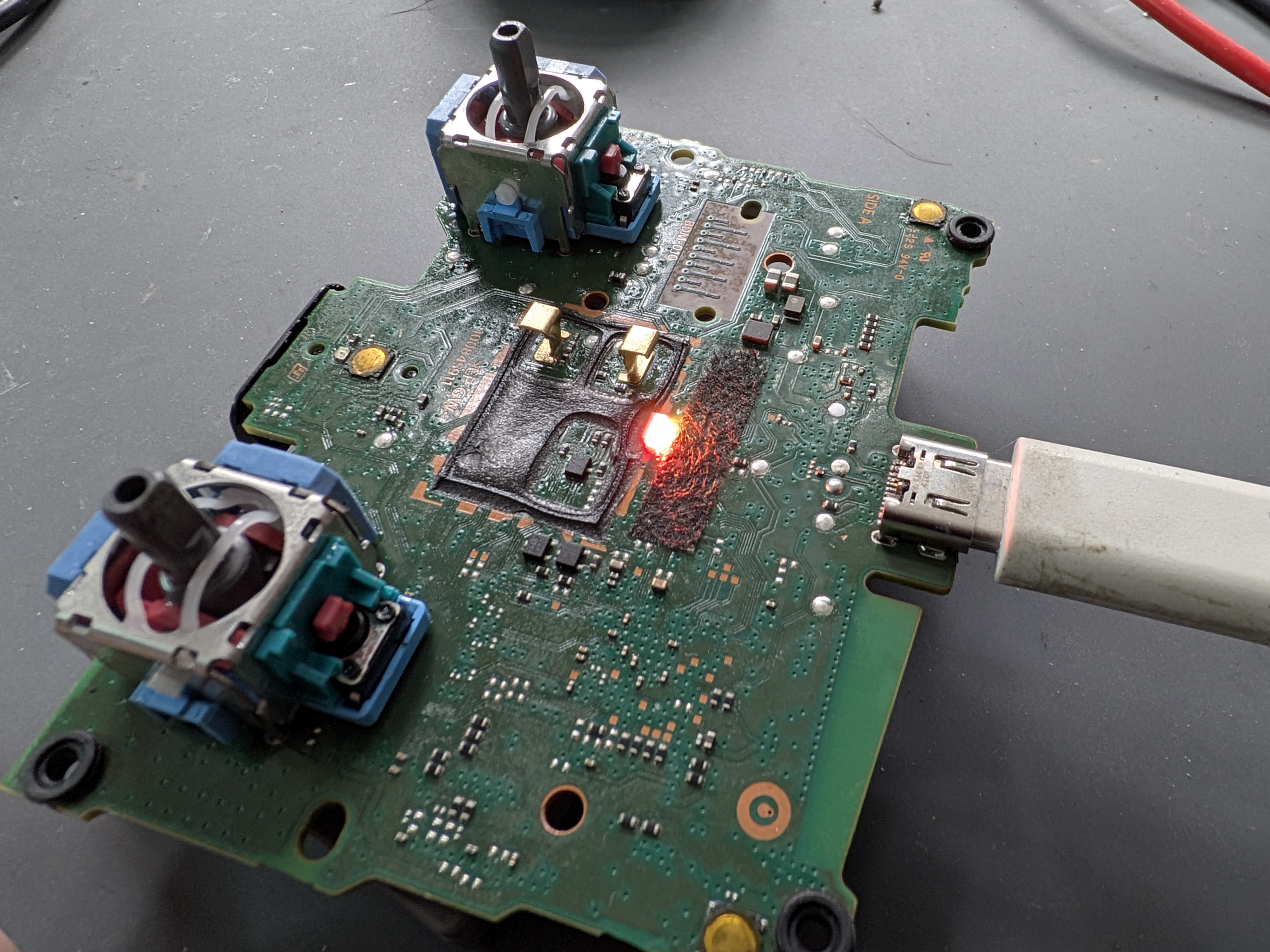
Charging Port and new Sticks fitted as they had Stick Drift too. All good now – another controller saved
The lesson: If your PS5 controller won’t charge, first identify which port you’ve actually got. Wrong cable = damaged port in about 3 weeks. Right cable = fine indefinitely. We did the soldering to replace the port (£50-70), but you could’ve avoided it by checking your model first.
We also include a 90-day warranty on the charging repair, so if something’s off with power delivery circuitry, we catch it and fix it free.
FAQ: DualSense Charging Issues
Q: How do I know which charging port my DualSense has?
A: Look at the port. If it’s a thin rectangular barrel connector (not standard USB-C shape), it’s the proprietary type. If it looks like a phone USB-C, it’s USB-C. Photo on your manual helps too.
Q: Can I fix a dead charging port myself?
A: Not safely. That’s a micro-soldering job (the connector is literally soldered to the board). One slip and you’ve destroyed the power delivery circuit. Leave it to someone with a rework station.
Q: Why isn’t my DualSense charging even with the right cable?
A: Power port is damaged (need soldering repair), charging circuitry is fried (rare but possible), or the port is just dirty (try isopropyl alcohol + soft brush first, costs nothing).
Q: How much does charging port repair cost?
A: £40 including the new port and labour. Faster than replacing the whole controller.
Q: Is stick drift related to charging problems?
A: Nope. Completely different circuits. But they often happen on the same unit because both are wear items — if your controller’s old enough to have charging issues, the joystick’s probably worn too.
Q: My cable works in the charger but the controller won’t charge. What’s wrong?
A: Charging circuit on the motherboard is likely damaged (liquid damage, thermal damage, power surge). That’s board-level repair — more expensive than port replacement.
Q: Can charging cables damage the port if they’re the wrong type?
A: Yes. Jamming a USB-C into a barrel port connector will bend the internal pins. Takes about 3-4 weeks of this before the port stops working entirely.
Drop it off at Mend My iPhone, 9 Southgate, Market Weighton, YO43 3AF
For mail it in. We’ll sort the port, test the charging, and have it back in 24-48 hours. And if there’s stick drift too, we’ll do both at the same time — saves you a trip back.
07934 062949 or info@savedgame.co.uk
Saved Game — Console Repair
Market Weighton, East Yorkshire

Leave a Reply