

Direct Answer: Before paying for a secondhand console, get the seller to power it on from cold, run a game or disc to completion, and check for physical signs of damage or a prior repair. Saved Game’s checklist below covers the tests worth doing in person and the red flags that mean you should walk away.Key Takeaways
- Always test a secondhand console powering on and running a game before you pay, not just switching on to a menu screen
- Physical signs like mismatched screws, disturbed warranty stickers, or port corrosion suggest a prior repair or damage worth asking about directly
- A broken console bought cheaply can be excellent value if you get a repair quote before committing to buy it

Buying secondhand is one of the most sensible ways to get into a console without paying full price, and the large majority of private sales go through without any issue. The risk isn’t that secondhand consoles are generally unreliable — it’s that a small number of sellers are moving on a console precisely because something’s wrong with it, and a few minutes of proper testing before you hand over money is the difference between a genuine bargain and someone else’s problem.
Test It Powering On, Not Just Switching On
Ask to see the console powered on from cold — not already running when you arrive, which can hide a console that struggles to start reliably. Let it boot all the way to the home screen, then load an actual game, whether that’s a disc or something already installed, and let it run for a few minutes. This is the single most useful test you can do, because it rules out the most common faults in one go: no power, won’t boot past a certain point, and won’t read discs.
Listen and Feel While It’s Running
While the game’s running, pay attention to the fan. A console that sounds noticeably loud or laboured within a few minutes of light use is a sign of dust buildup or a fan issue at best, and a thermal problem developing at worst. Rest a hand near the vents — a console that already feels hot within minutes of light use is worth being cautious about, even if it’s not showing any fault symptoms yet in front of you.
Check the Storage and Connections
Have a quick look at available storage in the settings menu — this matters more on newer consoles where storage upgrades cost real money, and it’s a legitimate thing to factor into what you’re willing to pay. Connect a controller to confirm it pairs properly, and if the console has a disc drive, test with a physical disc rather than relying on a digital game alone, since drive faults and digital library faults are unrelated issues.
Physical Signs Worth Checking Before You Buy
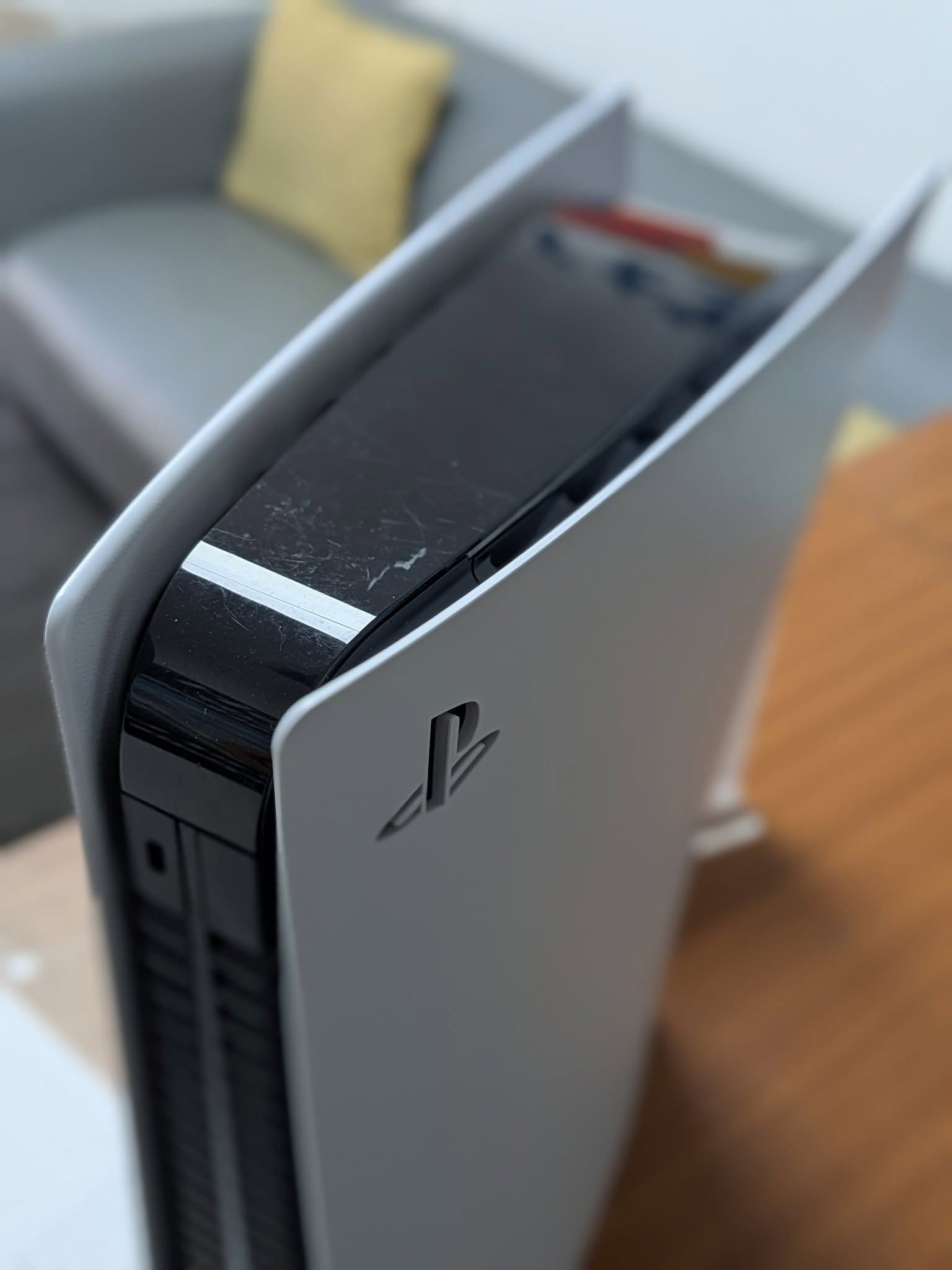
A quick look at the case tells you more than most buyers realise. Mismatched or visibly stripped screws, scratches around the seams where the case panels meet, a warranty void sticker that looks disturbed or peeled, or panel gaps that don’t sit flush are all signs the console has been opened before. That’s not automatically a dealbreaker — plenty of consoles get opened for a legitimate clean or upgrade — but it’s worth asking the seller directly rather than assuming. Any discolouration, staining, or corrosion around the ports is a more serious flag, since it usually points to liquid exposure that may have caused damage beyond what’s visible from the outside.
| What You Notice | What It Usually Means |
|---|---|
| Seller won’t power it on for you | Serious red flag — assume it doesn’t work until proven otherwise |
| Mismatched or stripped screws | Previously opened — ask what for, not automatically a problem |
| Warranty void sticker disturbed or missing | Previously opened, possibly not by an authorised repairer |
| Discolouration or staining around ports | Possible liquid exposure — proceed with caution |
| Unusually low price for the model and condition | Worth asking directly whether there’s a known fault |
| Burning or musty smell | Walk away — sign of a serious electrical or liquid-damage fault |
| Loud fan or console feels hot within minutes | Dust buildup at best, thermal fault developing at worst |
Buying Without a Receipt
Most secondhand consoles change hands without any proof of purchase, and that’s genuinely normal rather than suspicious on its own — but it does mean any remaining manufacturer warranty almost certainly won’t transfer to you, since that typically requires the original purchase details. It’s worth weighing that into your testing: without a warranty safety net behind you, it’s worth being more thorough at the point of sale rather than assuming any fault can be sorted afterward at no cost.
If It’s Already Broken, That Can Still Be a Good Deal
Some of the best value in secondhand buying comes from consoles being sold cheaply specifically because they’re faulty. This only works out if the fault is genuinely straightforward to fix and the asking price properly reflects that it’s broken — getting a repair quote before you commit to buying is the way to make sure you’re getting a real saving rather than an optimistic one. We don’t need proof of purchase to repair a console for you either, so a private secondhand purchase doesn’t complicate that side of things.
Frequently Asked Questions
What should I test before buying a secondhand console in person?
Ask the seller to power it on from cold in front of you, load a disc or a digital game to completion, connect a controller, and let it run for a few minutes so you can listen for fan noise and feel whether it’s running hotter than it should.
Is it risky to buy a secondhand console with no receipt or proof of purchase?
It’s common and not a dealbreaker on its own, but it does mean any remaining manufacturer warranty almost certainly won’t transfer to you, and it’s worth being more thorough with your own testing before paying, since you won’t have that safety net.
What physical signs on a console suggest it’s been opened or previously repaired?
Mismatched or stripped screws, scratches around the case seams, a warranty void sticker that’s been disturbed, or panel gaps that don’t sit flush are all signs the console has been opened before — not automatically a problem, but worth asking about directly.
What are the biggest red flags when buying a secondhand console?
A seller who won’t power the console on for you, visible corrosion or discolouration around ports, a burning or musty smell, and a price that’s unusually low for the model are the signs most worth walking away from.
Should I check the storage drive when buying a secondhand console?
Yes where possible — check available storage in the system settings menu, and if it’s an older console, listen for unusual clicking or grinding from an internal hard drive, which suggests it’s failing.
Is buying a broken secondhand console and repairing it worth it?
It can be excellent value if the fault is genuinely straightforward and the price reflects that it’s faulty. Getting a repair quote before you commit to buying is the safest way to make sure the saving is real rather than optimistic.
Does Saved Game repair secondhand consoles bought privately?
Yes — we don’t need proof of purchase to repair a console, only to honour any remaining manufacturer warranty, which secondhand units usually won’t have active anyway.
Already Bought One With a Fault?
If you’ve ended up with a secondhand console that’s not working as expected, our mail-in repair service covers Xbox and PlayStation consoles UK-wide, with a diagnosis and agreed price before any work starts — no receipt required. See our repair prices page for current figures, or if you’re looking to sell a console instead, see what we offer for consoles, working or faulty.

Leave a Reply