

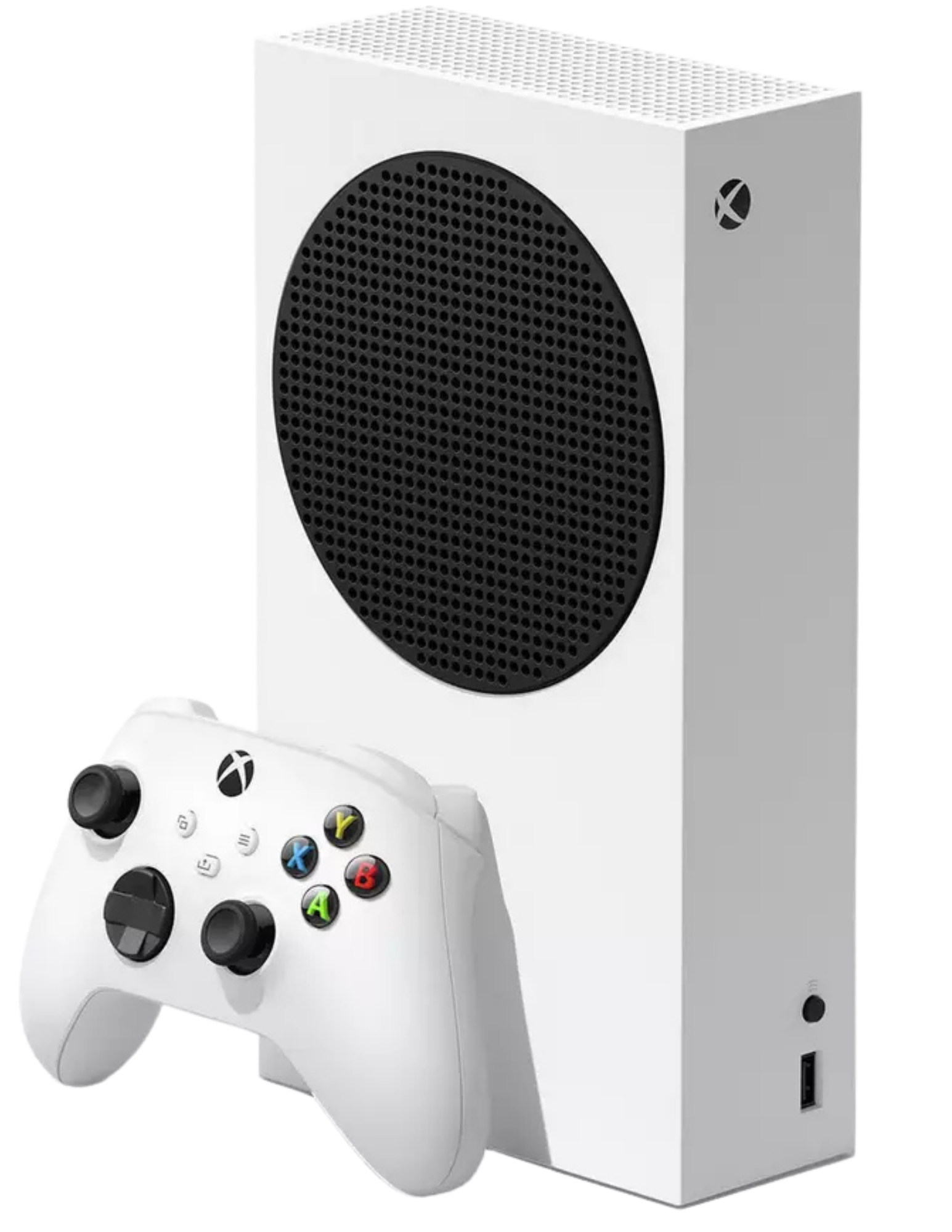
Direct Answer: An Xbox Series X or Series S that won’t read discs is usually down to a dusty lens, a worn drive belt or gears, or occasionally a loose ribbon connection — genuine drive hardware failure is less common than people assume. Testing with a different disc tells you which you’re dealing with in under a minute. Saved Game repairs disc drive faults on Series X/S consoles UK-wide by mail-in, or locally near Pocklington.
Key Takeaways
- Test with a different disc first — if every disc fails the same way, it’s the drive, not the disc.
- Compressed air into the tray is safe to try; opening the console yourself risks the ribbon cables and lens assembly.
- Disc drive faults are a listed, regularly-repaired fault on Xbox Series X/S at Saved Game — not an unusual or written-off repair.
Xbox Series X/S Disc Drive Not Reading Discs Near Pocklington
Disc goes in, the drive spins, and then nothing — either a grinding noise, a black screen, or the console insisting no disc is inserted at all. It’s one of the most common faults we see on Xbox Series X and Series S consoles, and it ranges from a thirty-second fix to a drive replacement depending on what’s actually wrong. Pocklington is about 11 miles from our Market Weighton bench, and we take these consoles both as local drop-offs and mail-in repairs from anywhere in the UK.
What’s actually going wrong
The disc drive is a mechanical part in an otherwise largely solid-state console, which makes it one of the more failure-prone components over a few years of use. Dust builds up on the laser lens over time and starts causing read errors before it stops working altogether. The belt or gears that spin the disc up to speed can wear out, especially in consoles that get heavy disc use rather than digital downloads. Less commonly, the ribbon cable connecting the drive to the motherboard works loose after the console’s been moved or knocked, or the drive assembly itself fails outright.
Working out which one you’ve got
| Symptom | Likely Cause | Try Yourself? | Needs Professional Repair? |
|---|---|---|---|
| Only one specific disc fails, others work fine | Scratched, dirty, or damaged disc | Yes — clean the disc, try a different one | No |
| All discs fail intermittently, worse after long idle periods | Dust on the laser lens | Yes — compressed air into the tray | Only if air doesn’t clear it |
| Grinding or straining noise, disc doesn’t spin up properly | Worn drive belt or gears | No — needs drive disassembly | Yes |
| “Insert game disc” shown with a disc already inside | Loose ribbon cable or drive-to-board connection | No — risk of damaging the cable further | Yes |
| Drive won’t accept or eject discs at all | Failed drive motor or assembly | No | Yes — drive replacement |
What’s worth trying before you book a repair
Start by testing a completely different disc — ideally one you know works fine in another console, or a friend’s copy of the same game. If that disc reads fine, the problem was the first disc, not your Xbox. If every disc you try does the same thing, move on to a can of compressed air aimed into the disc tray opening (with the console powered off) to clear out any dust that’s built up on or around the lens. This fixes a surprising number of intermittent read errors on its own.
What we’d steer you away from is opening the console up to get at the lens directly. The ribbon cables inside a Series X/S disc drive are thin, the lens assembly is precisely aligned, and it’s very easy to turn a dust problem into a “now nothing works” problem. If compressed air doesn’t clear it and a known-good disc still won’t play, that’s the point where it’s a drive fault rather than a cleaning job.
How we approach it
Disc drive faults are a routine repair for us on Xbox Series X and Series S — it’s listed alongside HDMI, overheating, and power issues on our standard repair list, not something we treat as a write-off. We start with a free diagnostic to confirm whether it’s the lens, the belt/gears, the ribbon connection, or the drive assembly itself, then replace or repair whichever component has actually failed rather than swapping the whole drive unnecessarily where a smaller fix will do.
[PHOTO: Xbox Series X disc drive removed for inspection on the bench — alt: “Xbox Series X disc drive repair, not reading discs, Saved Game Market Weighton”]
If you want more background on what we typically find inside a faulty Series X or S, our earlier posts on what we actually fix on Xbox Series X and what’s actually wrong with a broken Series S cover the other common faults alongside disc drive issues.
Getting your Xbox to us from Pocklington
Pocklington is about 11 miles from our Market Weighton bench, roughly an 18–20 minute drive, so a local drop-off is straightforward. Most customers across the UK use our mail-in service: fill out the form, tell us what you’ve already tried, and we’ll send shipping instructions. You’ll get a free assessment and a fixed quote before any work starts.
Frequently Asked Questions
Why won’t my Xbox Series X or Series S read discs?
The most common causes are a dusty or dirty laser lens, a disc with a scratched or damaged surface, worn drive gears or belt that stop the disc spinning up to speed, or in less common cases a failing drive assembly or a loose ribbon cable connection to the motherboard.
How do I know if it’s the disc or the drive?
Try two or three different discs, including one you know works elsewhere. If every disc fails the same way — grinding, not spinning up, or “insert game disc” with a disc already in — the drive itself is at fault. If only one specific disc fails, check it for visible scratches or fingerprints first.
Is it safe to clean the Xbox disc drive lens myself?
Compressed air into the disc tray opening is safe and often helps with dust-related read errors. Opening the console to access the lens directly is riskier — the ribbon cables and lens assembly are delicate, and it’s easy to do more damage than the dust was causing. If compressed air doesn’t fix it, that’s the point to get it looked at properly.
Can Saved Game fix an Xbox Series X/S disc drive near Pocklington?
Yes. Disc drive faults are one of the repairs we do regularly on Xbox Series X and Series S, alongside HDMI, overheating, and power issues. Pocklington is about 11 miles from our Market Weighton bench, and we also take mail-in repairs from anywhere in the UK.
Compressed air didn’t fix it? Open a support ticket, check repair prices, or start a mail-in repair today — Pocklington to Market Weighton is about 20 minutes if you’d rather drop it in yourself.
- PS5 Won’t Read Discs, Won’t Eject or Grinds: Model-Specific Fixes
- ModRetro M64: What It Is, What It Does, and Who It’s For
- Will Steam Deck Get GTA 6? Everything Steam Deck Owners Need to Know (2026)
- PS5 Fan Connector Repair | Ripped Off by USer
- Is Your Console Actually Dead? The 10-Minute Check Before You Bin It

Leave a Reply